Posted on — Leave a comment

Adding Shop Sections


A step by step guide to help you to add shop sections 

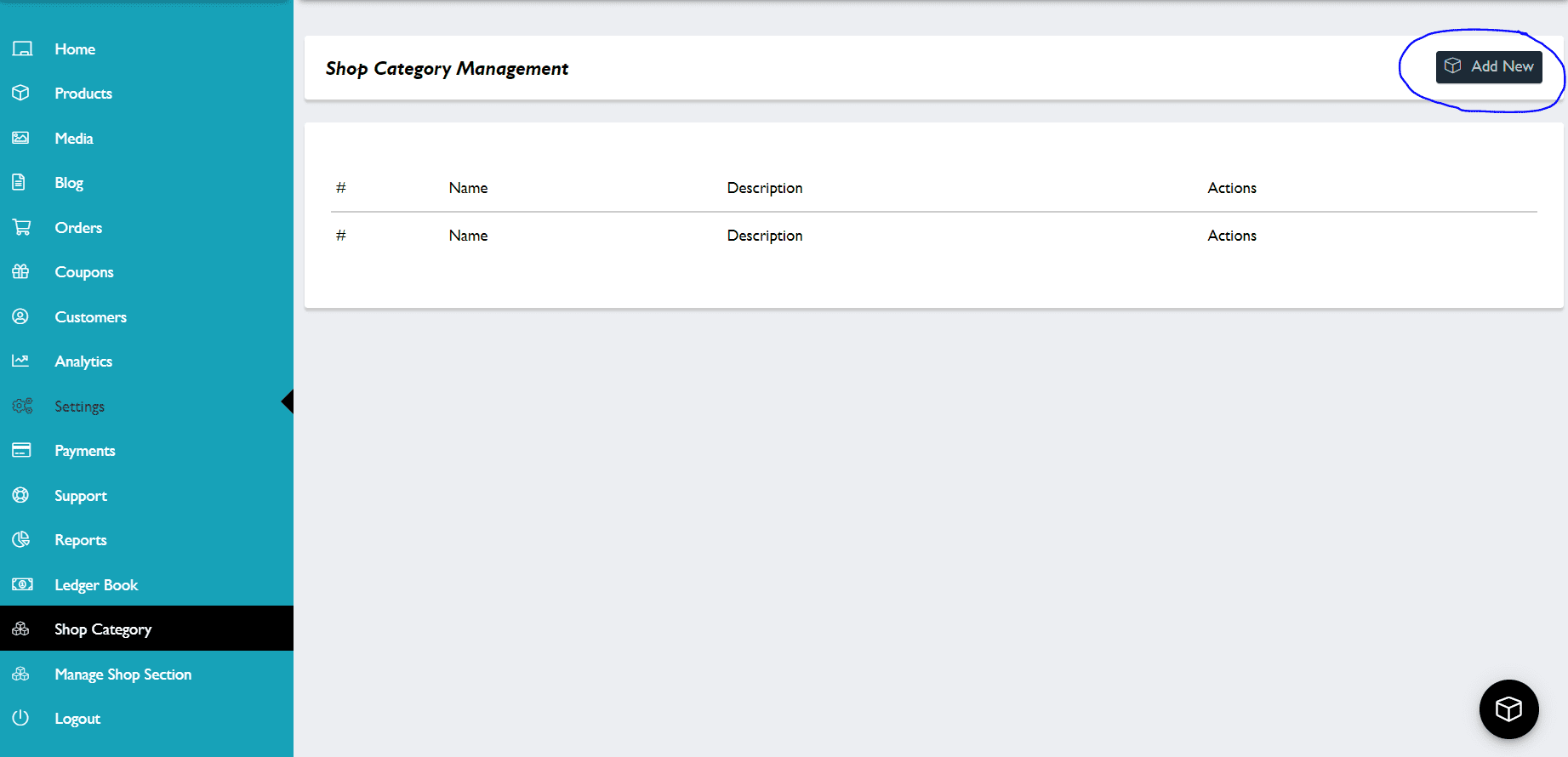
Step 1 – On your dashboard go to Shop Category then click to ‘Add New’

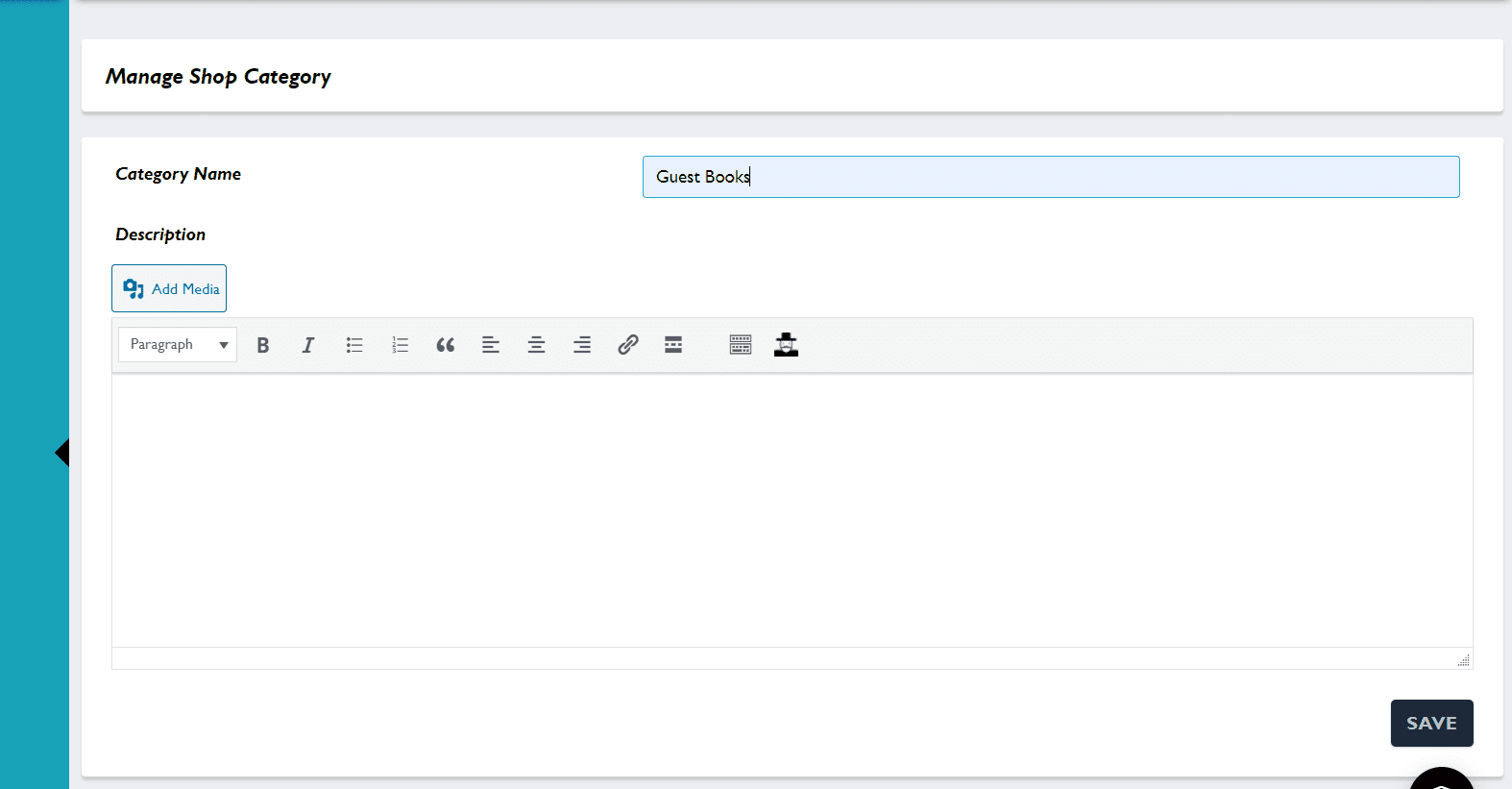
Add in your category heading and save.

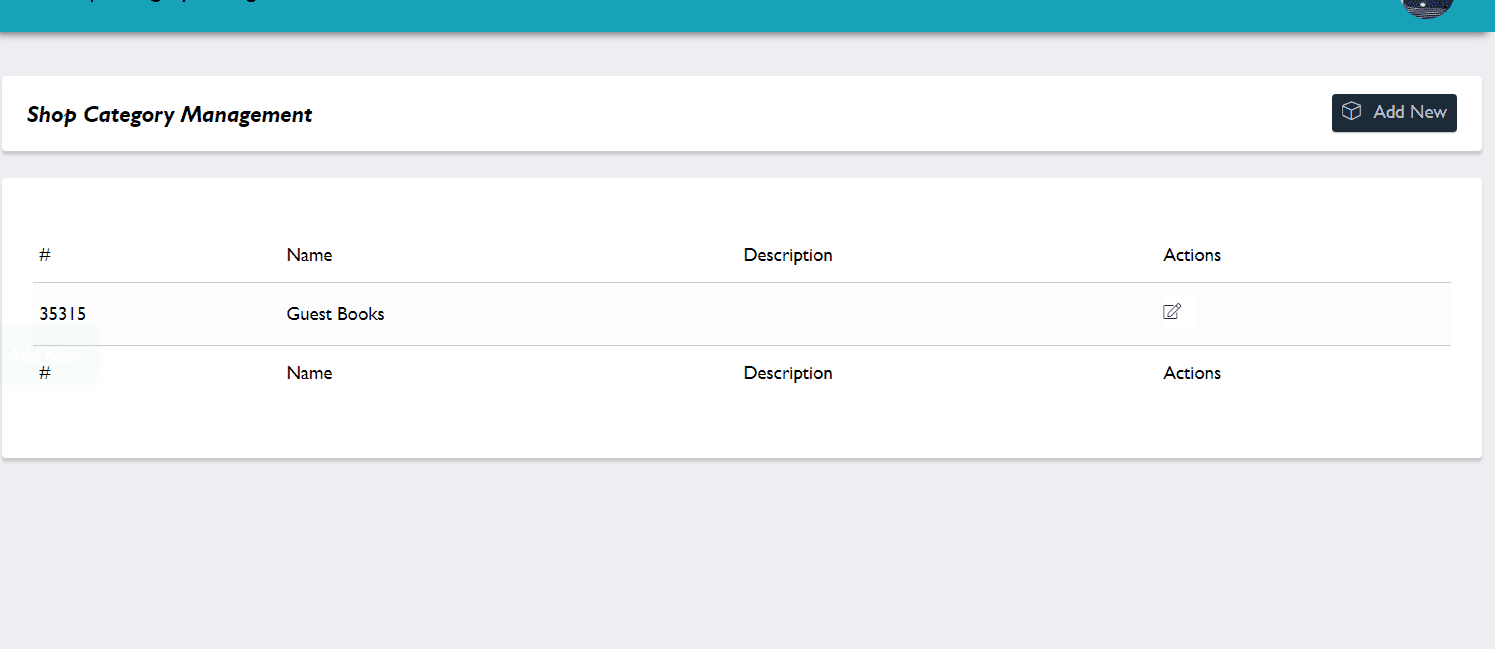
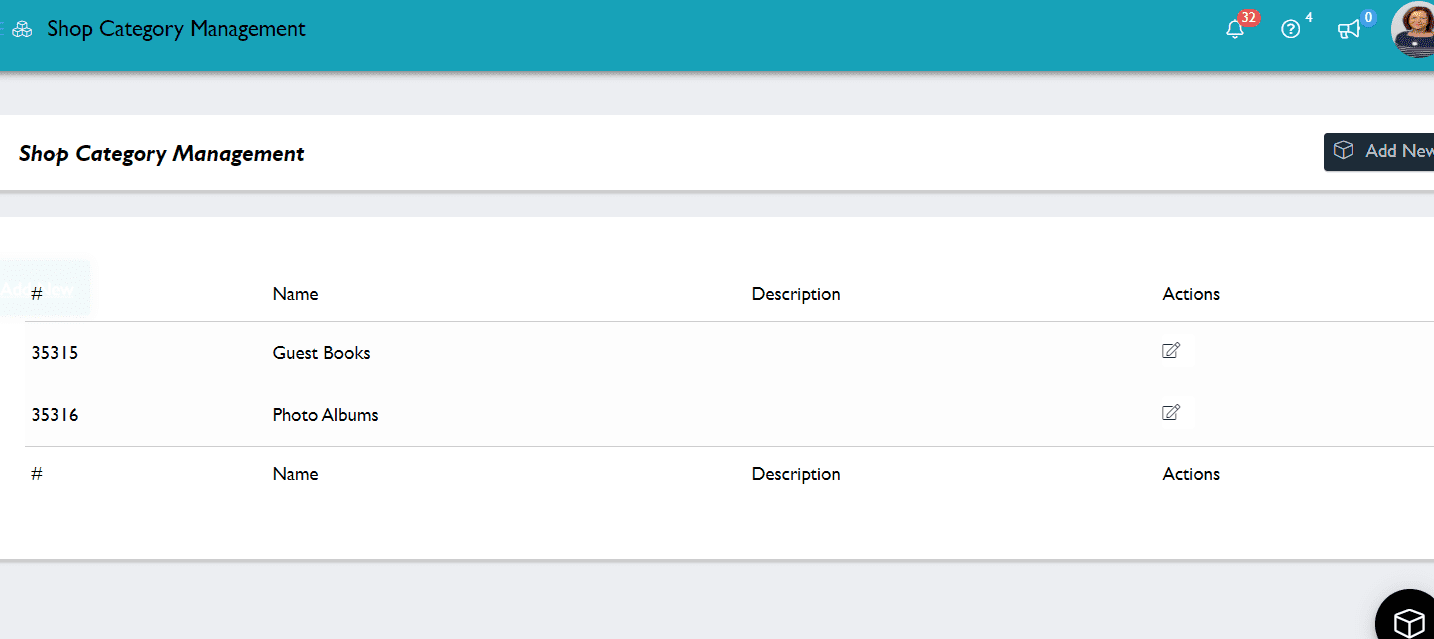
Once you have added 1, go on and add whatever sections you would like within your shop.


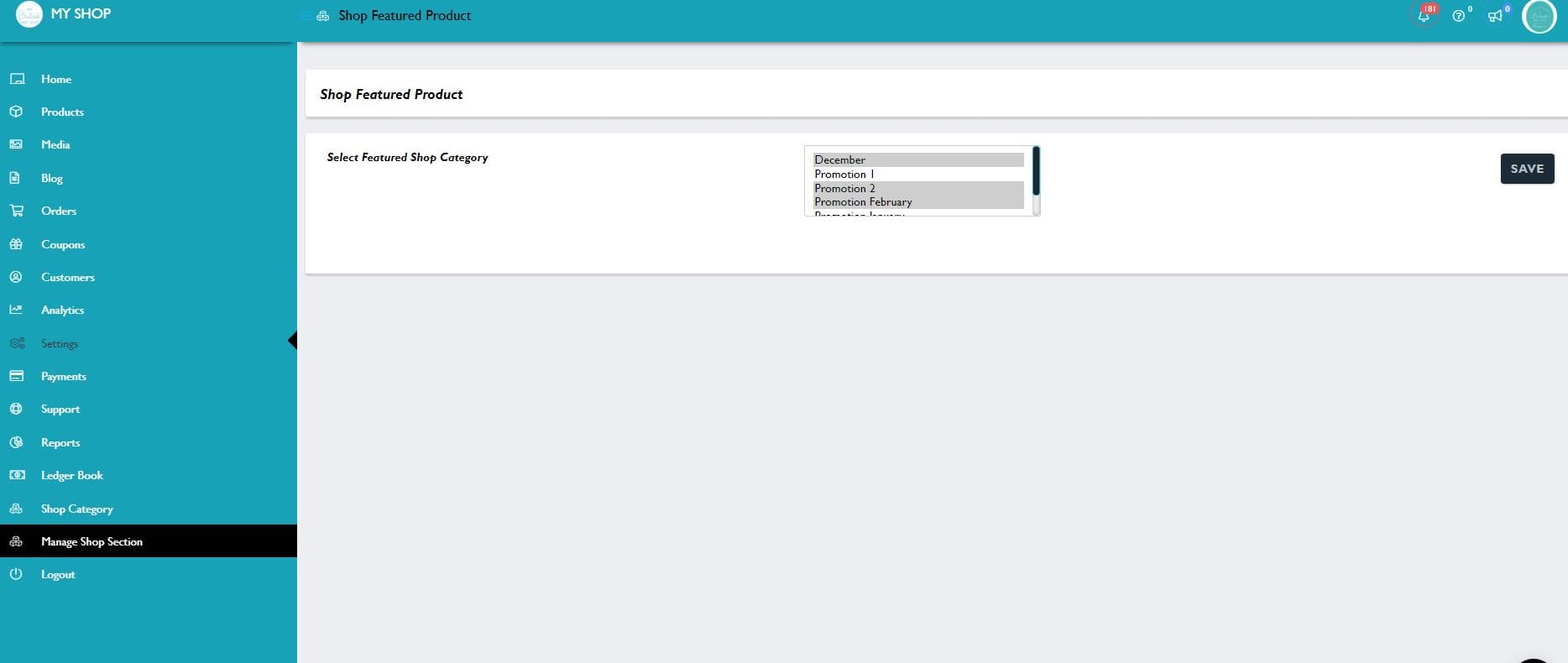
2. On your dashboard go to manage shop section.

This is where you choose which sections you would like displayed on your shop front.

All of the options you added will be shown. Use control/click etc to select the ones you want displayed on your shop front.


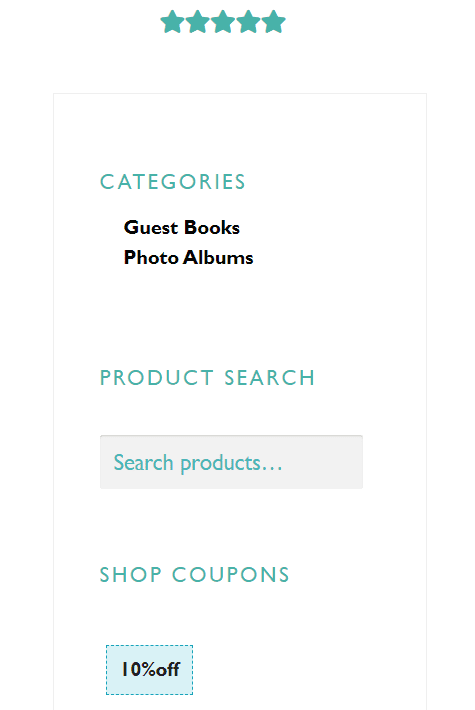
3. These sections will now appear on the left hand side of your shop, under Featured Items.


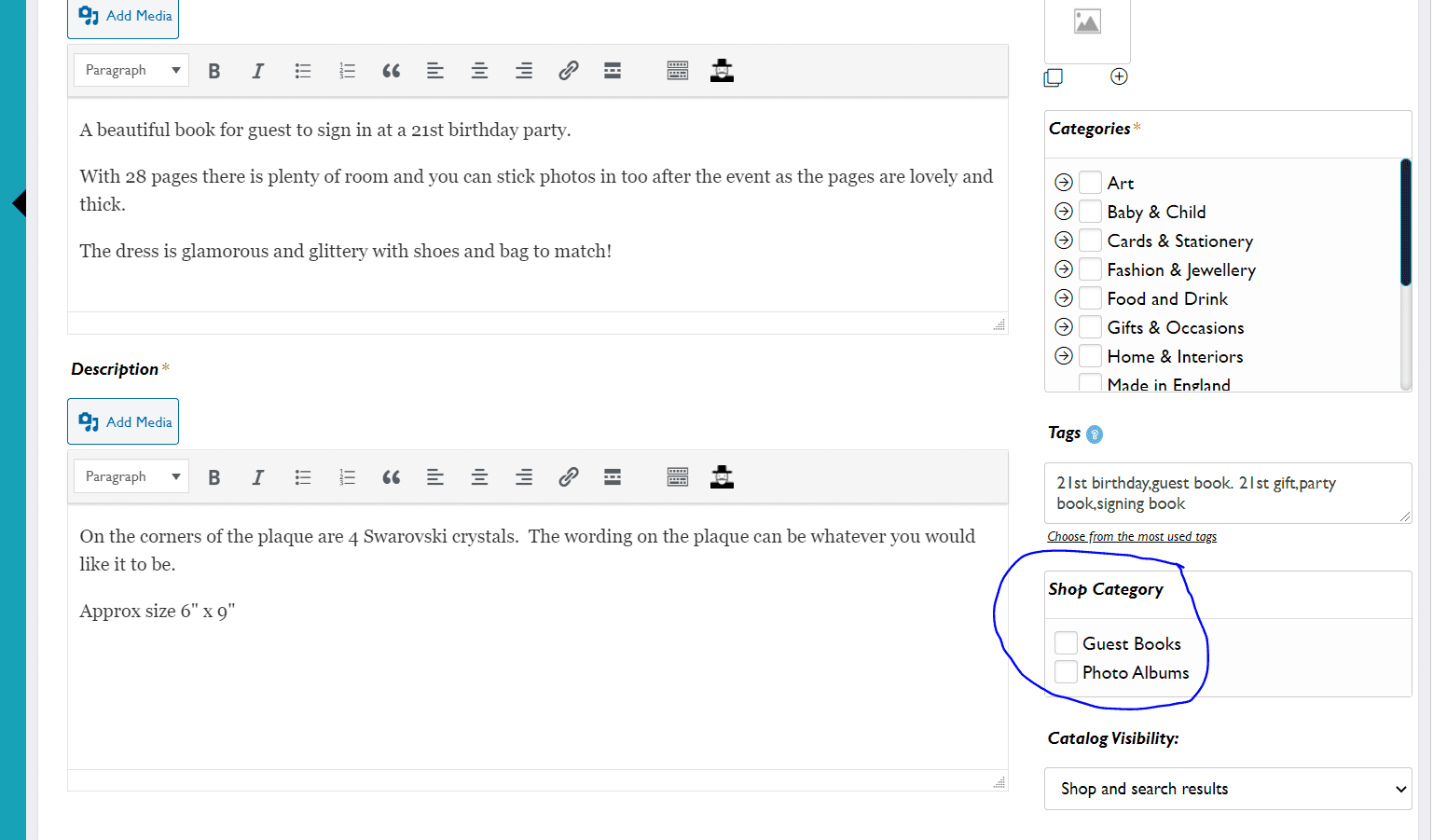
4. To add your listings into a category you click into the relevant box in the ‘shop category’ part of your listing area.

As soon as you do that then they will appear when the category is clicked on on your shop front.


There you have it! Shop categories!

You can use ‘manage shop section’ to deselect a section from showing on your shop front.

If you want to permanently delete a shop category please contact admin at info@thebritishcrafthouse.co.uk and it can be removed from the main database for you.

Posted on — Leave a comment

Selling on Your British Craft House site via Facebook

An Intro to making the most of your Facebook Business Page

by Diane @ Adien Crafts


This post was written a while ago for posting this month to coincide with a Hub Initiative. These are very unsettling times for everyone, but if you have decided to keep your shop open and are selling then it is maybe a good time to focus on how to get customers to your British Craft House shop and offer them the best service you can.

We have many Sellers who are new to using Facebook as a selling tool, so this is aimed at them, there are many ‘old hands’ too with successful Facebook Pages so it would be great if you could also join in and pass on your expertise.

I have been selling via Facebook for many years now. Approximately half of my British Craft House sales have come via Facebook and I often hear the comment, “I can’t sell via Facebook, my page is dead, I don’t get the interaction etc”.

Love Facebook or hate it, the fact is it is still extremely popular for selling and most importantly buying so why not make the most use you can of Facebook as a selling tool and funnel customers to your British Craft House page. I tend to use Facebook as my shop counter space if you like, just as in a bricks and mortar shop this is where I chat and ‘sell’ to customers before taking them to the checkout which is my British Craft House shop.

In these days of one click shopping, can we help you pop up windows, and instant purchasing, it’s important to be available, your Facebook page will not be a success if you pop a post on in the morning and then disappear expecting it to magically get lots of responses. You all know how successful and pro active The Hub is for all of us Sellers, well that’s because it is managed so well by Dottie, it’s a busy chatty space which is ‘live’ … you won’t normally have to wait hours for a response to a question, and interactive posts get people involved and create a Community.

So, how do you build your own Community, and how do you convert this to sales in Your British Craft House Shop? There is no substitute for time spent building your following, and we can go into further detail on how to do that in  later posts but just to cover a few simple basics today.

  1. If you wish your Facebook visitors to purchase from your British Craft House shop, then your Shop Now button at the top of your page needs to direct them there. This is pretty fundamental, one could rename the button “This Way to The Checkout” as basically that is what you are saying. If you have online shops elsewhere which you don’t want to lose the links to, then consider using Link Tree which gives you the option to add numerous links people can follow.


  1. Under Settings in Facebook add your URL of your shop under website details.


  1. Add your Shop in your personal profile as your place of work if possible, this is important when you are commenting on other shop pages that they can see your shop name and hopefully return the visit.


  1. Facebook likes busy pages, it likes regular Users . Regular posting and regular interaction with other pages will see an increase in your reach, which you can view under ‘insights’
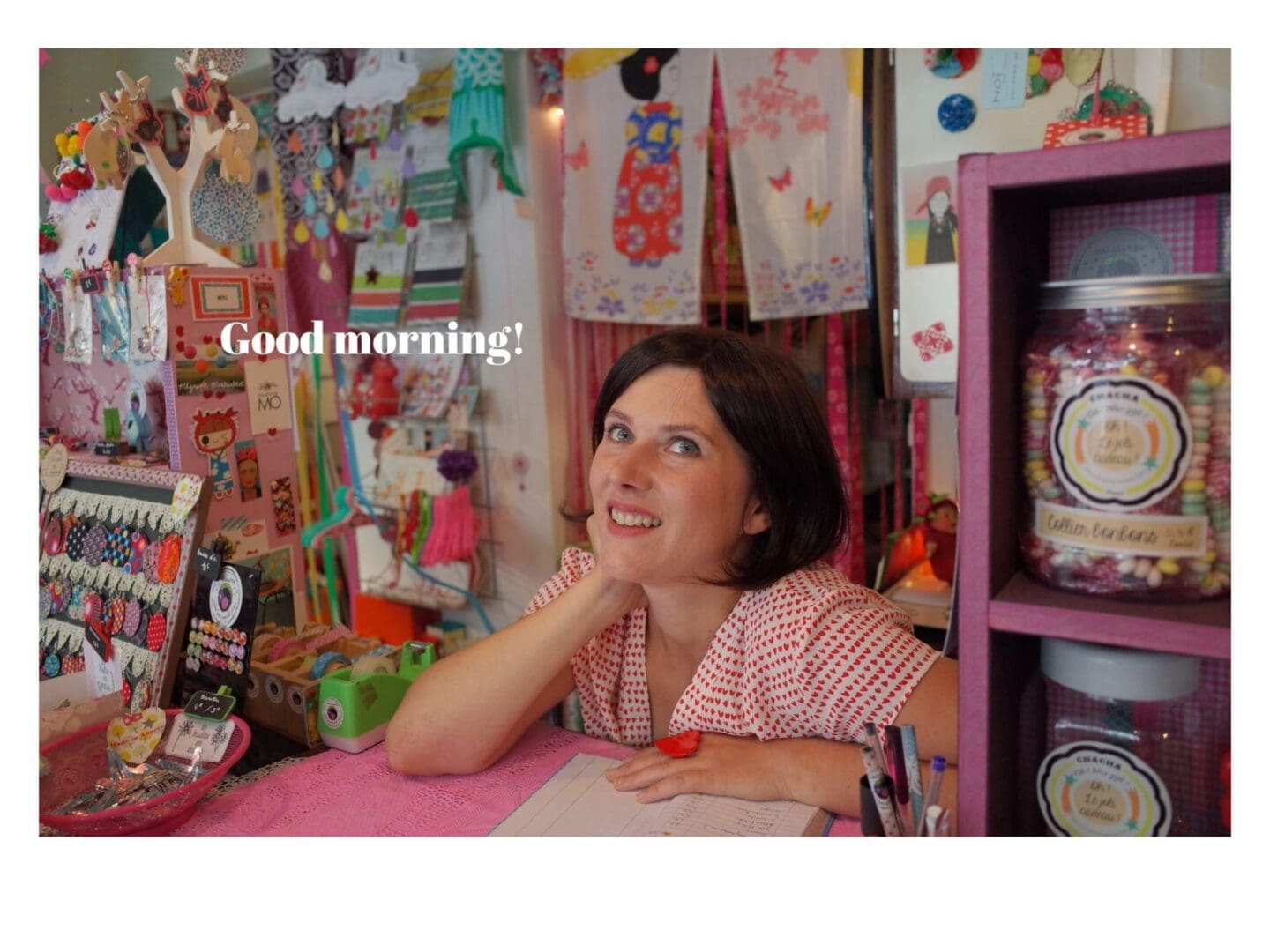
 

5. Add a Good Morning post, maybe ask a question in your post that invites interaction, let your personality show … you are behind your counter now, pulling up the shutters, and ready to invite your customers in. I use collages in my morning post as a rule, but post whatever you prefer, and I always add the link to the item featured in my British Craft House Shop in the first comment. There is no point showing off your lovely creation and then not directing to where it can be purchased.

As in a Bricks and Mortar shop put on your Smiley face and try to be engaging, if you are having a really rubbish day and just want to rant, then leave it – only my opinion but a moaning post does not get me in the buying mood. If you are enthusiastic and in love with your product pass this on, and DON’T BE SHY … if your product is fabulous, tell people! They can’t touch it, pick it up and examine it so tell people how wonderful it is, and why they need it, who they could give it to etc, no need for modesty, your enthusiasm for your product will be infectious!

6.  Once you have created a post, what now? Well, until you have built up a busy following, a good place to start is The Hub. We are adding a post this week to link with this Blog. Once you have set your page up with direction to your TBCH shop, then add a post, popping the link to your item in the first comment. Copy the URL of your Facebook post by clicking on the photo and copying the https:// link from the top of the page and post it in the HUB thread, instructions will be given on the post itself re commenting on others. This will be handy for you to practise visiting other pages and commenting, and for others to visit your page. As a bonus a lot of sales are made to other Sellers so you never know!

There are 101 more things we could cover regarding Facebook pages – this post has covered the very basics to set up your Facebook page to link to your TBCH shop and create a post, and once everyone is happy with that we can cover more areas if anyone is interested… building up your following, tagging other pages, what to include in your post etc. Hope to see lots of posts added on The Hub, please feel free to comment below with any specific issues you would like covered in further Facebook Blogs.

Many thanks to Diane for creating this post & sharing her tips!
Posted on — Leave a comment

Hosting #tbchsellershour


Do you fancy hosting our hour on Twitter just for TBCH Sellers? If you do please let me know as I am compiling a list of dates and need them to be filled! Here is a brief guide as to what you would need to do. If you have any questions, of course feel free to ask! Also please don’t feel under any pressure to volunteer, it’s just a great way for you to expand your own network on Twitter and is a whole lot of fun too!

#tbchsellershour – Top Reasons to Host!

  • Boost your own following
  • Network with fellow #tbch sellers
  • Make new friends ?
  • Create content for your social media feeds
  • Get into the heart of the conversation
  • Try and get your hour at the helm trending!

Top Tips for hosting (ahead of time)

  • Decide on a few topics to discuss ahead of the hour
  • Schedule these questions, requests ahead of the hour.
  • Have 2 monitors, or 1 & a phone so you can monitor both the @britishcrafting timeline and also #tbchsellershour
  • Have your feeds set to ‘latest’ tweets

Tips for survival in the hour!

  • Try & welcome people
  • Remind people to use #tbchsellershour
  • Try and reply to people’s tweets, retweet, love etc
  • Don’t worry if you can’t keep up – just keep going!
  • Keep an eye on the clock – the time flies!
  • Watch out to see if the # trends (other people may see this first!)
  • Watch out for interlopers with Etsy links! You can <3 their tweet but don’t retweet!
  • If you get behind you can always retweet after the hour has finished!

It really is a lot of fun and I bet if you host it once you will want to do it again!

I will always be around for help & support before-hand, during & after!

Dottie

Posted on — Leave a comment

Facebook & Instagram Ads – product requirements


We have an incredible Facebook/Instagram Ads manager on our team who has great experience with High Street names and is going to work hard to get The British Craft House in front of as many people as possible that are likely to be shoppers! The catalogue that gets pulled through to FB/IG that is used to generate ads has shown that some items are being rejected as they do not have the specific requirements that are necessary.  This is Facebook’s requirements not TBCH but if your item is not pulled through and you want it to be, this is probably the reason why.

Please remember that you might not want all your items to be pulled through – for example if you have a link in an item to try & upsell then it won’t be added but could be very valuable for uplifting sales on the website.

Requirements for Titles

Product titles must:

  • Have a maximum length of 150 characters. We recommend that you use under 65 characters.
  • Read naturally without extra words or keyword stuffing. An example of keyword stuffing in a title is “Eco-friendly Pastry Tools Stainless Steel Dumpling Maker Wrapper Dough Cutter Pie Ravioli Dumpling Mould Kitchen”.
  • Describe the product accurately.

Create product titles that:

  • Are concise and meaningful.
  • Have correct spelling and grammar.
  • Are formatted correctly. Include proper spacing between the words and capitalise the first letter of each word.
  • Use numerals, such as “2” instead of “two”.

Product titles shouldn’t:

  • Be the same as the product description.
  • Use ALL CAPS for words, phrases or entire titles. People may associate all caps with spam or misleading marketing.
  • Include symbols such as ! * ?.
  • Include extra characters such as ░ À ╠ § because they may appear differently.
  • Include promotional messages such as “Sale” or “Free delivery”. Titles should only describe the product itself – not other aspects of your business. Add other information in appropriate fields for the product instead.
  • Include subjective phrases such as “hot item”, “bestseller” or “great gift”.

Recommendations for product images

Use product images that:

  • Have an image resolution of 1000 x 1000 pixels or higher.
  • Are in square (1:1) format.
  • Have a white backdrop. (this gets best reaction but lifestyle are fine too)
  • Are easy to understand and show the whole product.
  • Show the product from different angles or viewpoints if you include multiple images.
  • Capture the product in real-life situations.

Don’t use product images that include:

  • Text, e.g. calls to action or promo codes.
  • Time-sensitive information that may become outdated quickly, such as price drops for a limited time.

Requirements for product descriptions

Each product description must:

  • Use plain text.
  • Have between 30 and 5,000 characters.
  • Use correct grammar, punctuation and spelling. Write in normal sentence case, meaning that you capitalise only the first word in a sentence.
  • Match the product title and image associated with it.

Recommendations for product descriptions

Product descriptions should:

  • Provide only information related to the product.
  • Include unique product features and relevant information that can help buyers make purchase decisions.
  • Be concise and easy to read.

Product descriptions shouldn’t include:

  • HTML or links.
  • Rich text such as bullet points or multiple paragraphs.
  • Excessive punctuation such as “!!!” or descriptions in ALL CAPS or lowercase. People may associate these with spam or misleading marketing.
  • Delivery or company information. Include these in the appropriate fields for the product instead.
  • Phone numbers or email addresses.
  • Items with Variation options –  if a customer clicks ‘shop now’ on the advert then it is added to the basket. If you have an item that has a required choice before the basket stage then this will result in an error message and therefore will either not be included in the adverts or the add to basket will fail.

Hope that this helps! Do shout if you have any questions!