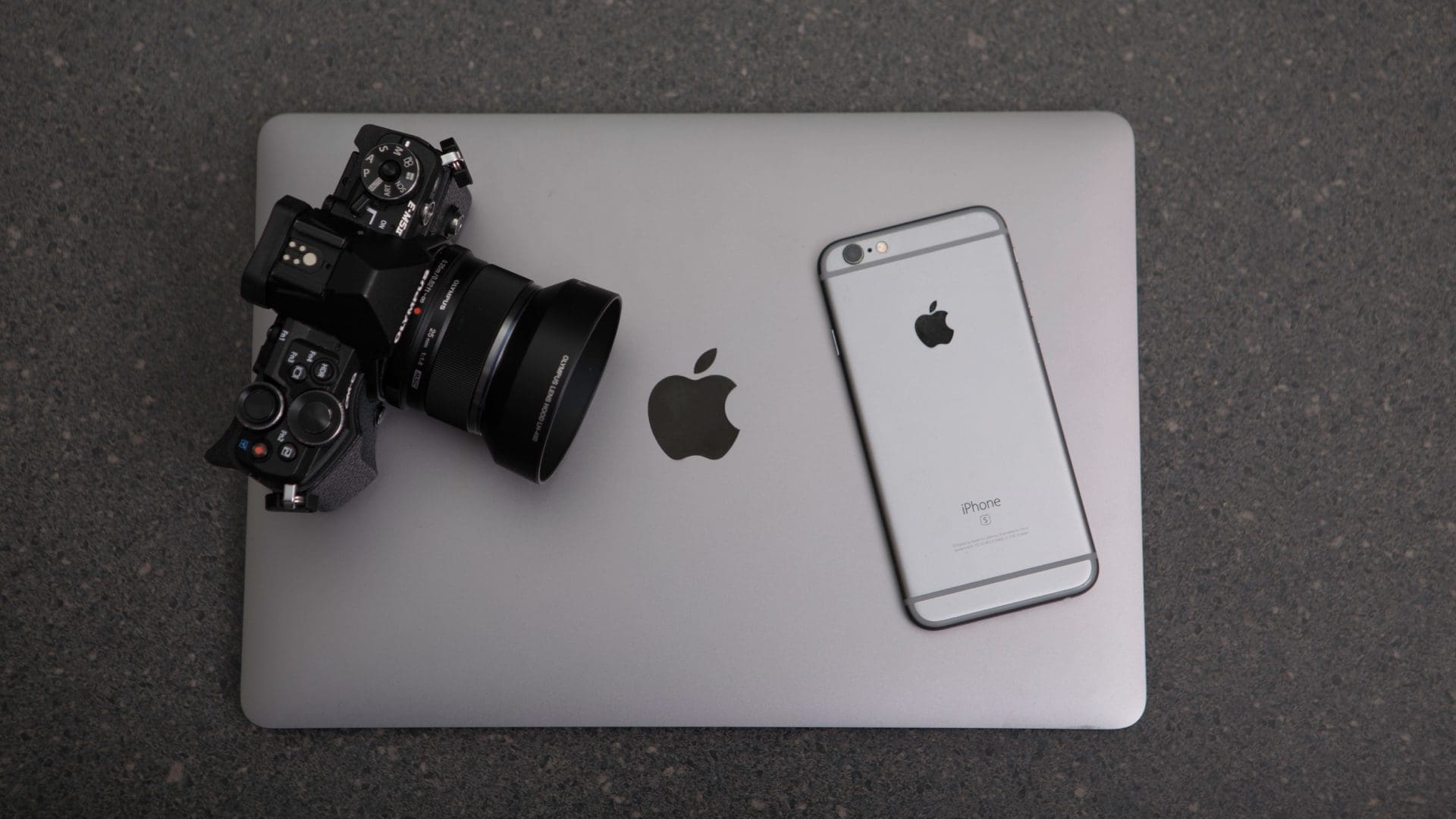
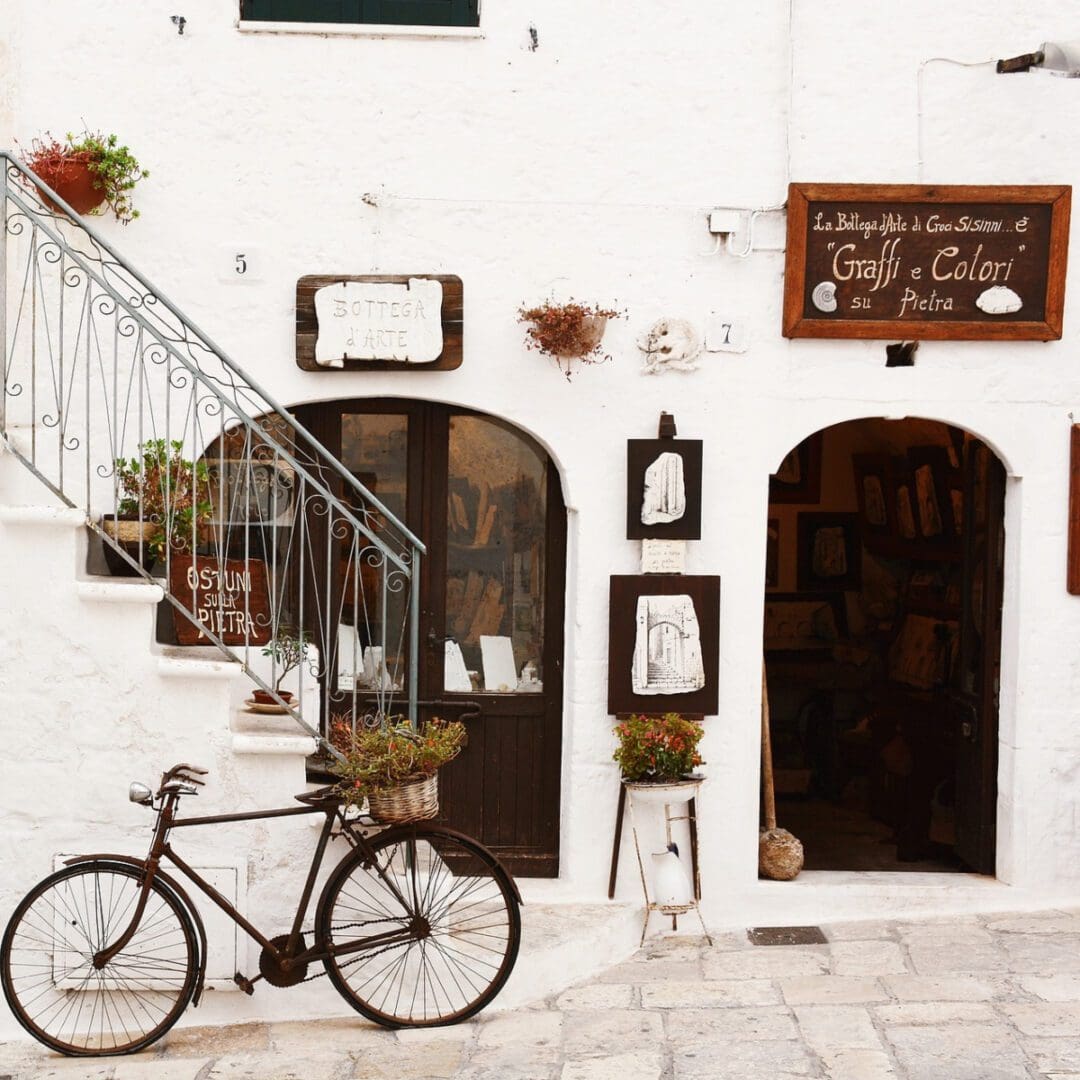
Product photography is an essential aspect of e-commerce and can make or break a sale. Here are some tips for taking effective product photos:
Use proper lighting: Good lighting is essential for a high-quality image. Use natural light or studio lights to avoid shadows and ensure that the product is evenly lit. Avoid using the camera’s flash, as it can create harsh shadows.
Use a clean and simple background: Keep the background clean and simple to avoid any distractions from the product. A white or neutral-colored background is ideal for most products.
Use the right camera and settings: Use a camera with manual controls and shoot in RAW format if possible. Use a tripod to keep the camera steady, and adjust the settings to capture the best image possible.
Showcase different angles: Capture multiple angles of the product to give the customer a better idea of what they’re purchasing. Make sure to include close-up shots of any important features or details.
Consider the context: Show the product in use or in its intended environment to give the customer a better idea of how it can be used. For example, if you’re selling a coffee mug, show it in use on a table with a coffee pot nearby.
Edit the photos: Use editing software to make minor adjustments such as brightness, contrast, and sharpness. However, make sure not to over-edit the images, as it can give a false representation of the product.
You don’t need to have a camera to take good photos, phone cameras are highly efficient and product great results if used well.
By following these simple steps, you can take high-quality product photos that will help your customers make informed purchasing decisions.
Today’s Boot Camp is more about signposting you to some great resources to help you learn and grow. You can pick and choose the topics to fill your own knowledge gaps!
Do bookmark them as they add new content all the time and this will allow you to stay up to date with what you are doing!
Second part of listing a product – remember though that many of these are ideas to make your shop function better but if you don’t have time to do them then your shop will certainly still function!
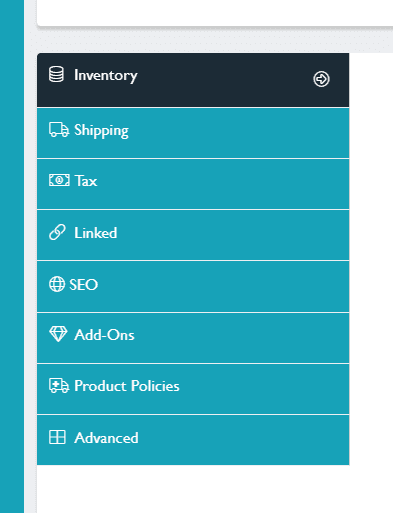
Looking at the tabs that are on the left hand side when you list a product.
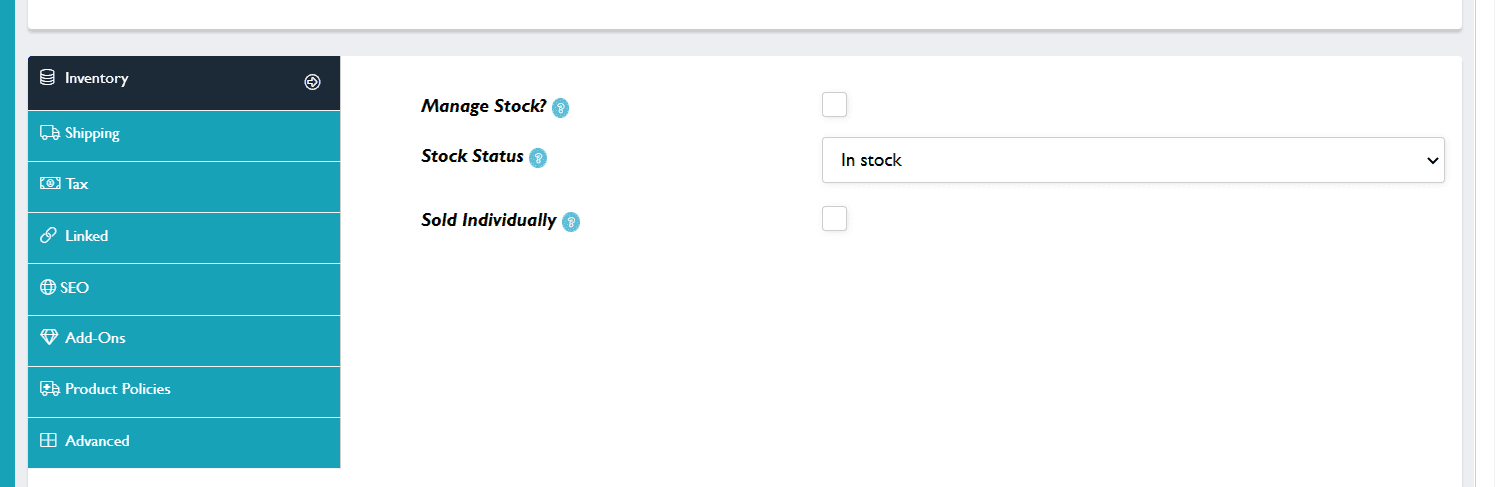
Inventory
This area allows you to manage your stock if you wish to. Ticking ‘manage stock’ will allow you to add a quantity of what you are selling. It also opens up a new tab which allows you to take back orders. Ticking the ‘sold individually’ means that you are limiting the sale of that product to 1 per customer order.
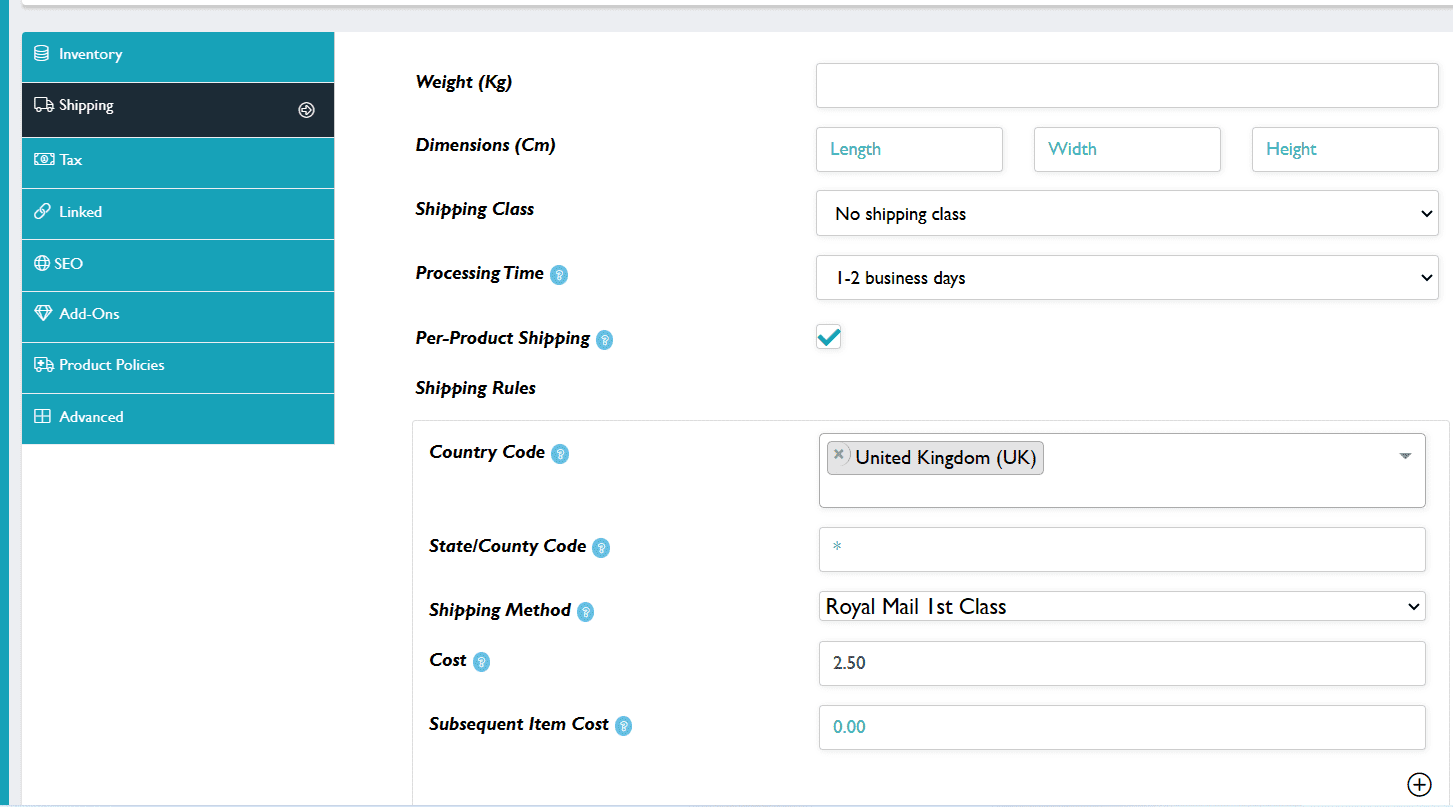
Weight and dimensions are optional. Leave the shipping Class as ‘No shipping Class’ as it is set at product not shop level.
Set your processing time from the drop down menu.
‘Per Product’ is ticked by default – do not untick it!
Add your Country into the Country Code Box.
For additional countries use the + sign to add a new block. You can add geographic areas.
Select your shipping method from the drop down list.
Add in the cost of the item to ship on its own and the cost if it were an additional item, The site will always take the headline figure that is highest as the main cost.
To be bought in the same basket purchase items must both/all have the same shipping methods assigned to them.
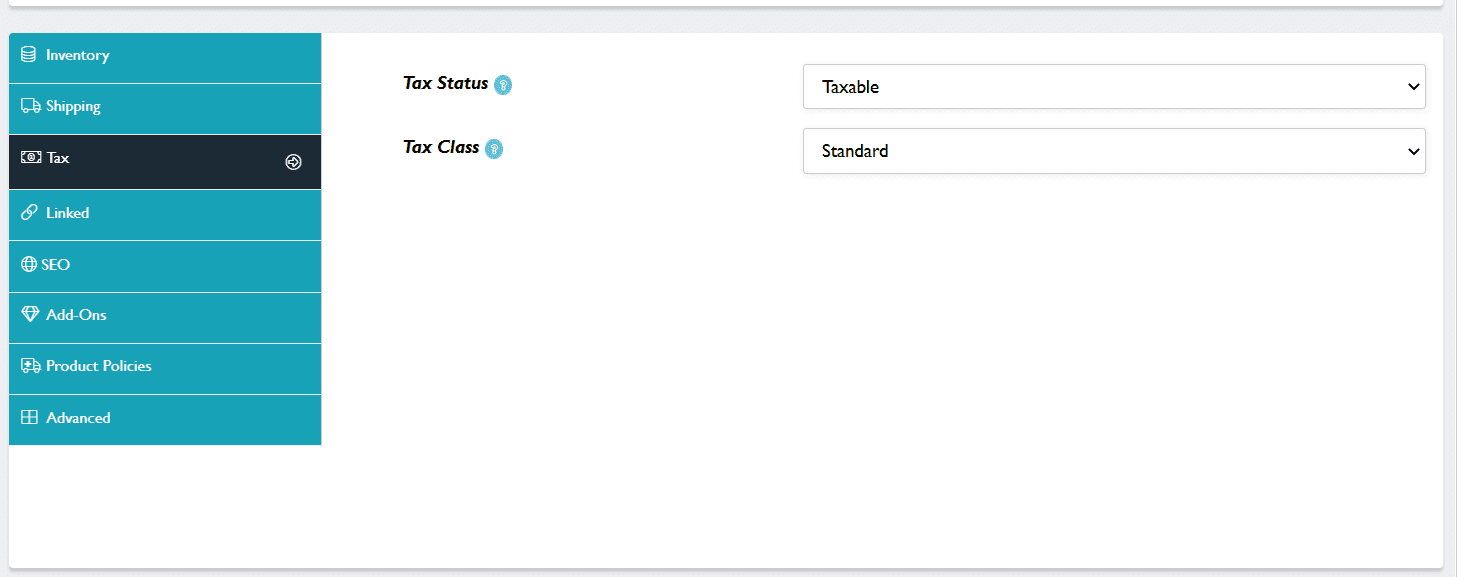
Tax
If you are VAT registered this field enables you to add 20% tax on purchases at check out. If you are not VAT registered you leave this as ‘standard’.
Linked
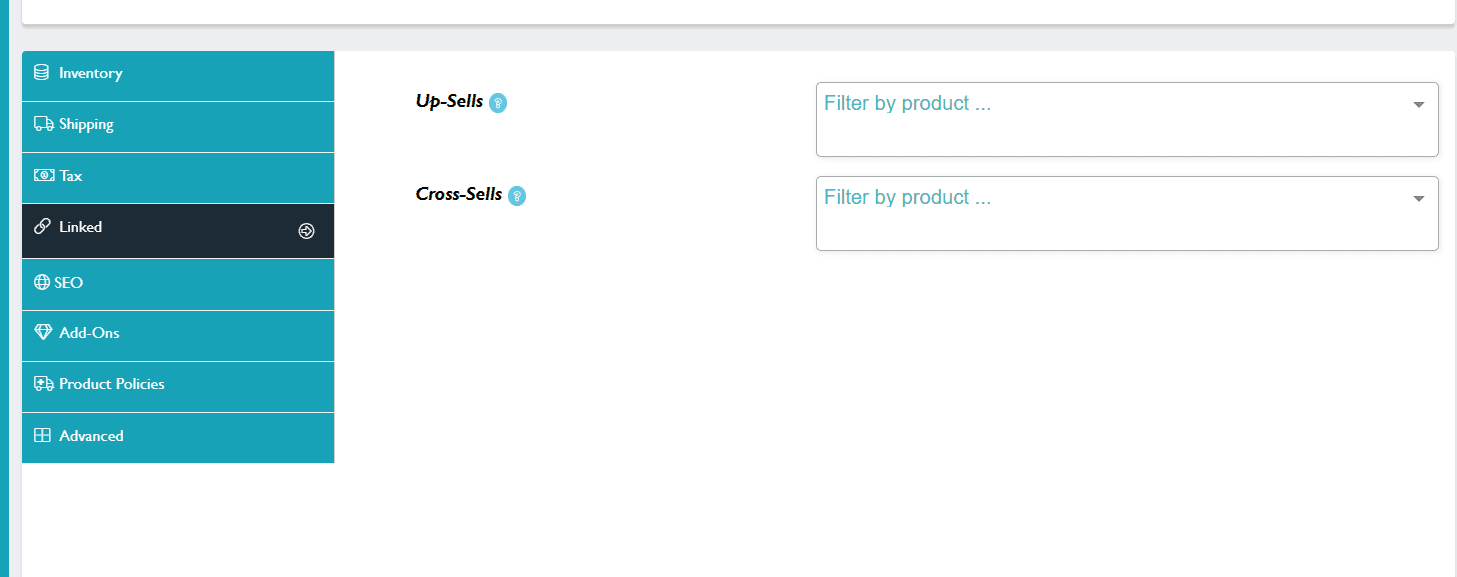
You can add specific products here that you want customers to view also when they are viewing your item. Up-Sells are seen at the same time as the viewed product. Cross-Sells are seen where a customer had added the item to the Basket to encourage them to add something else 🙂
SEO
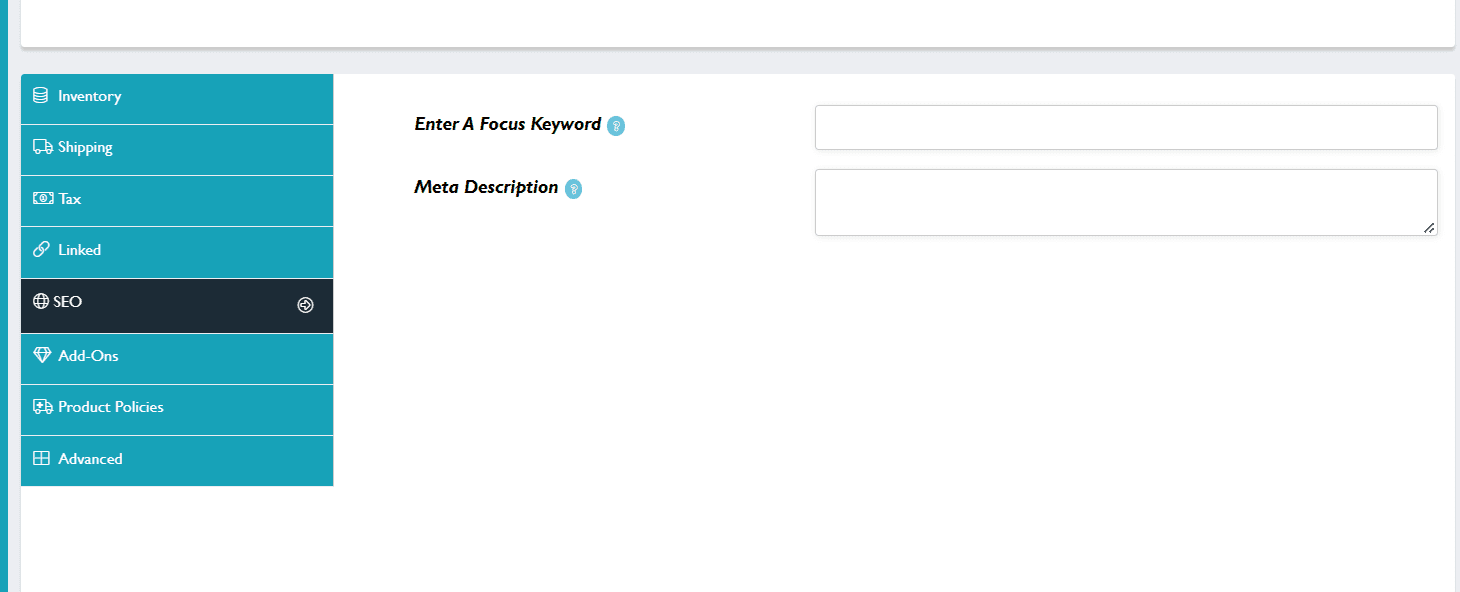
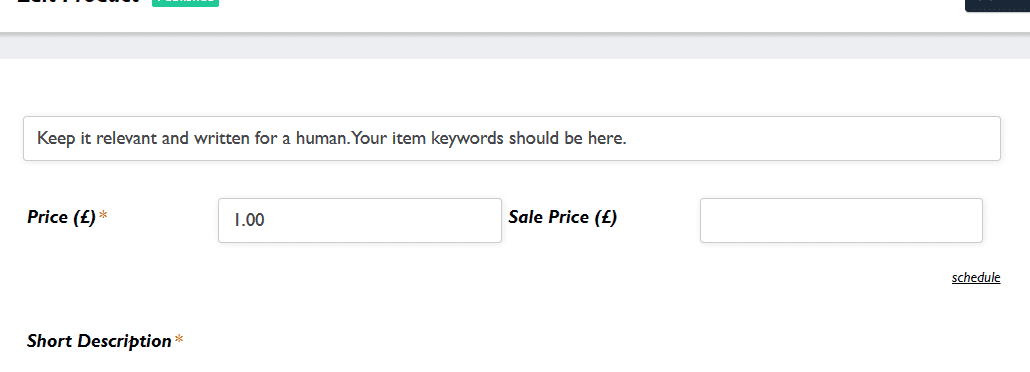
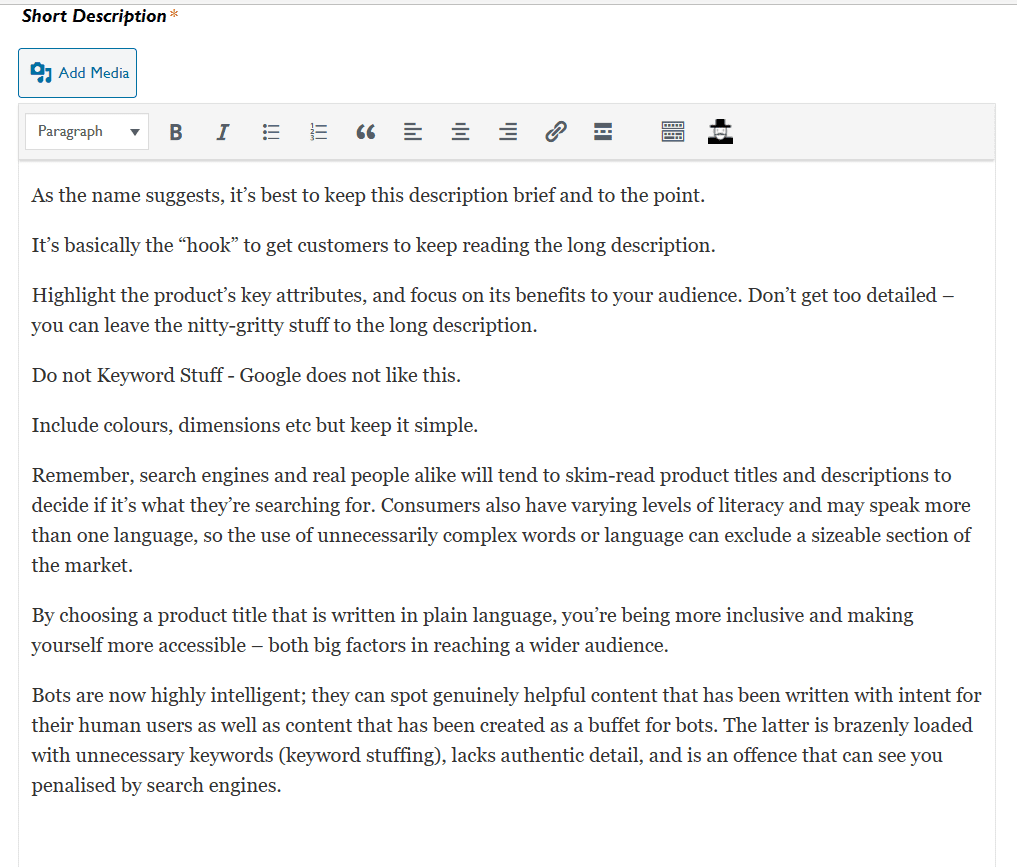
A keyword essentially is a specific word or phrase that people use to search for information online. ie what they would type in to the search bar to find what you are selling. This is what goes into the top field. It should also be in your listing title and in the first sentence of your short description.
Meta Description – Your keyword should also be in here. Meta descriptions are the short snippets that appear on search results pages like Google and Bing. Users see a page’s meta description below the title in the search results. The meta description is meant to inform them about the content and purpose of a webpage so they can decide whether to click on it or not. If you don’t write your own meta description, Google will generate one for you by pulling content from the page. But you could be missing out on a chance to convince people to click on the link with a targeted snippet customized to earn conversions. Think about the last time you Googled something. What made you pick a certain link? It was probably the title, the description, or both that convinced you.
Your meta descriptions can be as short as you want but don’t go over 156 characters, or it’s likely to be cut off abruptly. That doesn’t look good.
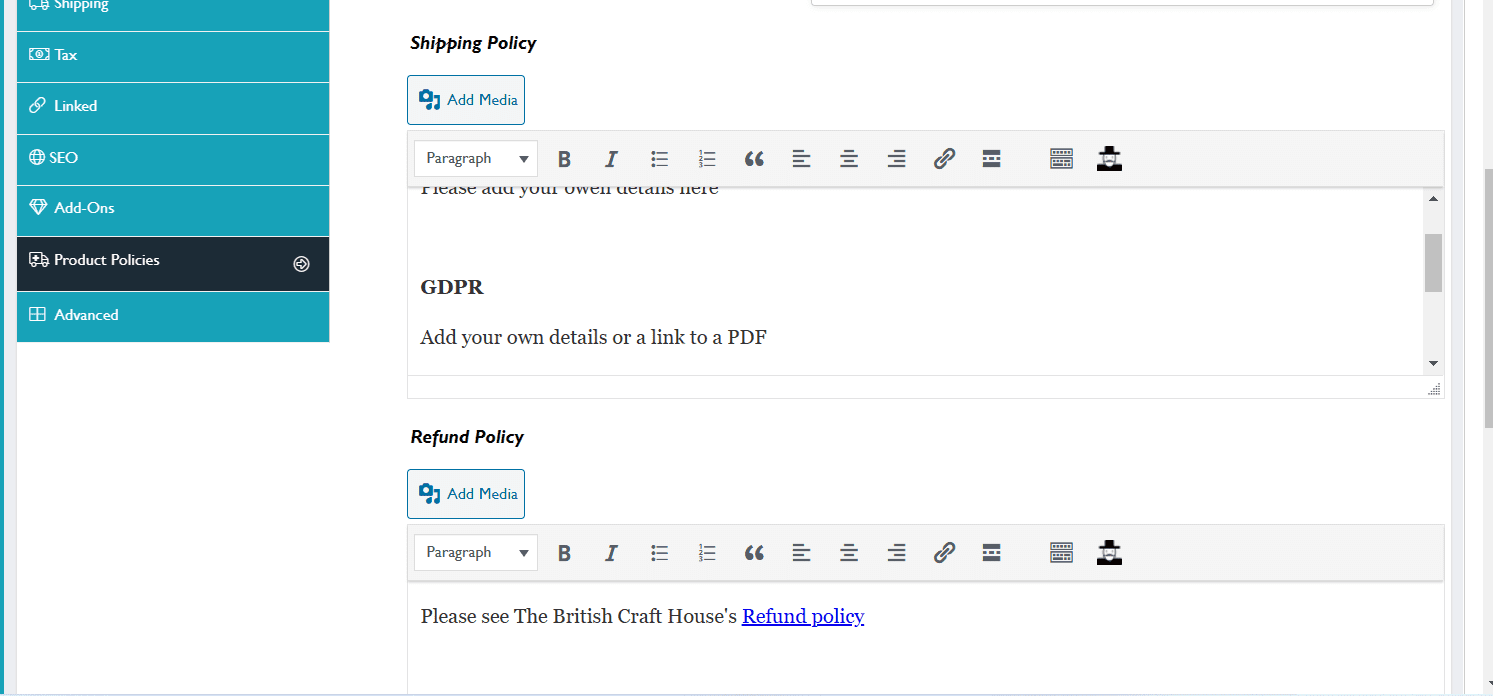
This is where you can add product policy information, GPPR information etc. You can also link to your whole shop policies.
Advanced
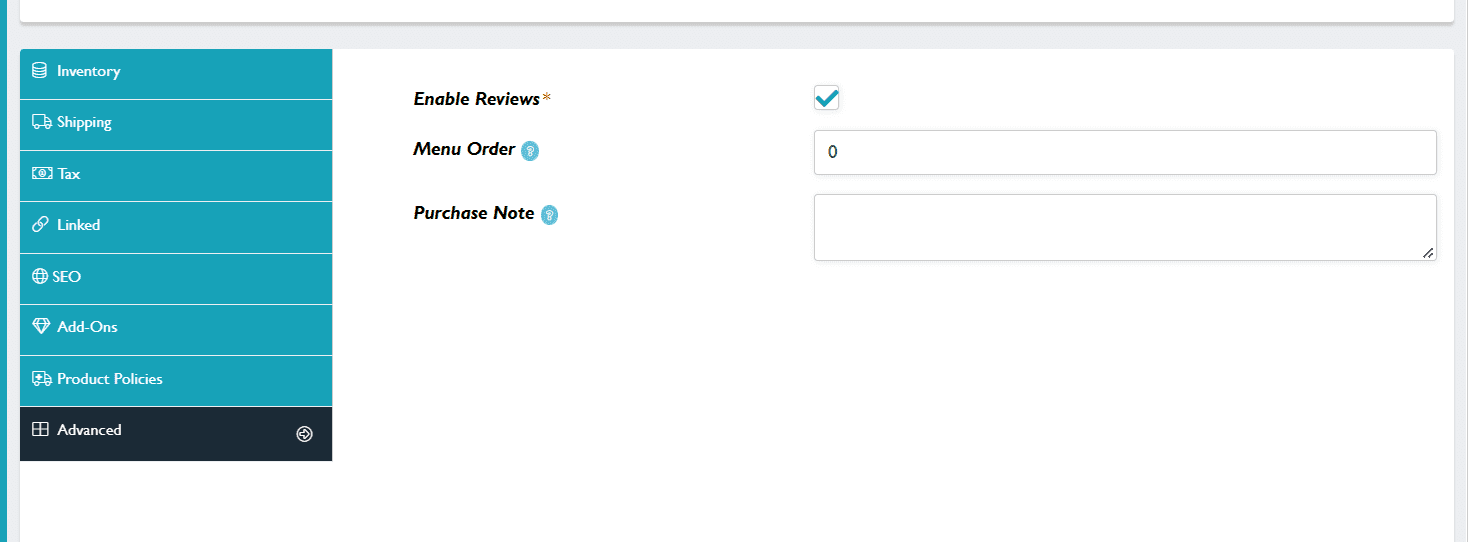
All products have reviews enabled.
You use the menu order to be able to order your shop how you would like it to be ordered.
In your listing tabs and add a number to ‘Menu Order’ All items are defaulted to 0 with 0 being at the front. To make way to slot items in, some sellers have number banding ie 1-20 for pendants 21-40 for earrings 41-60 for rings etc Remember anything not numbered stays at the front if it has the 0 default number.
You can also add a Purchase Note here that goes to the customer.
Hope this has helped you to fine tune your listings!
Social media can be a great way to communicate with your customers – but – it can be a little unreliable and unpredictable as to what it shows to whom? If you have a special offer, or a product launch you want to get it to as many potential customers as you can! This is where a newsletter can do the trick! It lands you firmly in your (already interested as they signed up to your list) customer’s inbox! Write an engaging Title and subject line and you are home and dry!
There are lots of different guides to show you what to do and when/what to post but I really like this from the Design Trust https://www.thedesigntrust.co.uk/how-to-grow-your-mailing-list/ as it takes you step by step through each process! Do read right through to Tip 14 as that’s the legal stuff which is really important!
In the Hub today we will discuss the different newsletter companies you can sign up to – most are free up to a certain number. Mailchimp is popular as well as Constant Contact I use Convertkit as I find the analytics really useful.
Love it or hate it – product photography is a key element to selling online! Without good photos your shop simply can’t convey the messaging to the customer to convert them into being a buyer!
I have found some great articles that will help you to get this art form perfected and to make the most of your shop!
This guides is really good at helping you to understand all the settings that are on your phone that you might not have seen before!
Product detailed information will be over 2 bootcamp days. Remember that this is an ‘ideal’ listing and your products will be perfectly ‘buyable’ without a lot of this being done. This is best practice as gleaned from information available to me. There are additional links and ideas in the Sellers Start Up Guide
Starting with your product title.
Title
It is important to remember that adding detail that is not relevant to your title can be harmful. ie 00034 Seascape Fine Art Painting
Also it is good to vary your titles, especially if you sell similar items so that you reach a broader audience searching for you on Google. So for example if you have a shop with 50 notebooks – it is not good practice to just change the ending to make it relevant. eg Handbound A4 notebook with floral cover design, Handbound A4 notebook with woodland design. etc etc. These will end up all being discovered via Google or none – so vary the wording.
Short Description
Long Description
Images
When you are taking photos or adding photo for products for your shop it is really important that you label them with keywords or else the title will be something like img 445454,jpg and Google will ignore it. This is not a TBCH thing, this is a best practice for the web thing so you should do this for wherever you sell!
You can rename your photos when you save them from image size to ‘file as’ Ideal is to rename your photos using hyphens in between each word using approx 5 words that people would use to search for your product. In ‘media library’ fill in the description. If you are duplicating listings then you need to make your descriptions unique. There are lots of apps to do this – a good one is ‘image size’
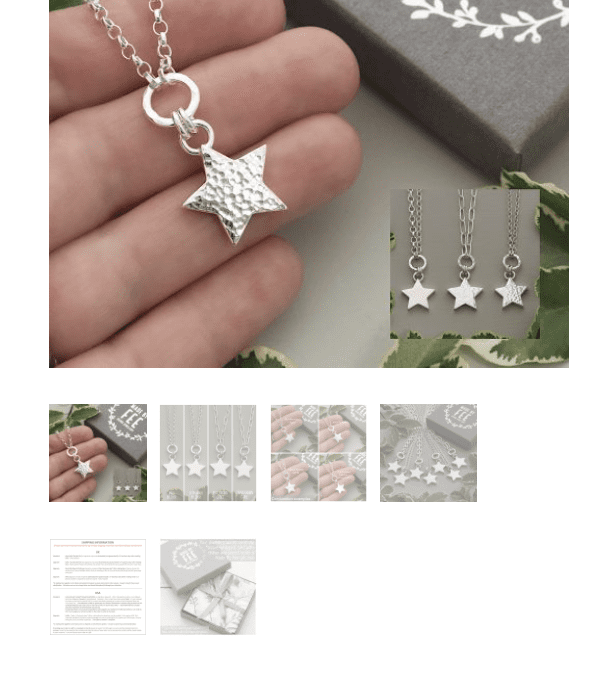
You get plenty of opportunity to showcase your product in photos. Adding in photos from all angles, a sense of perspective, packaging, product information etc will give your potential customer the information that they need to convince them to purchase. Adding in a packaging photo is a great idea, especially if you are offering to send direct as a gift with a note.
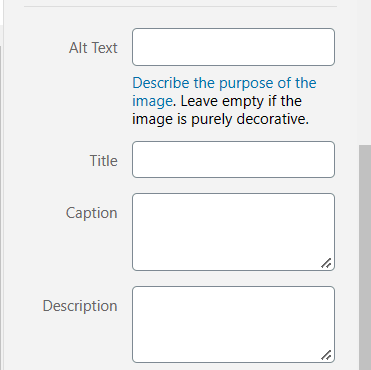
Along side every image that you add is a box for you to fill in information that will help your images be seen on Google.
Alt text is an HTML attribute that allows website owners to add some text with their images. The purpose of this text is to be displayed when the browser is unable to fetch an image. Search engines use this alternate text as a ranking factor in their image search. Basically, you can add text to describe what this particular image is about.
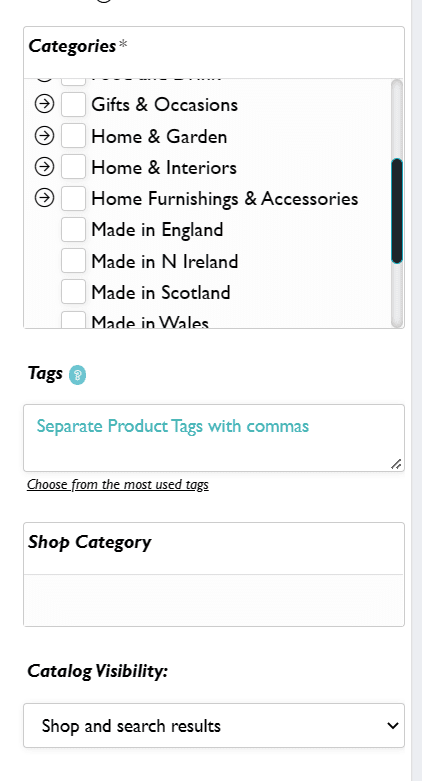
You need to click on the little arrow to open up sub categories. If you tick inside a sub category you can untick the main category. You can choose up to 3
It is important to keep these up to date – so for example the next feature page that will link from Gifts by Occasion is Valentine’s. This will link off the website front page so if you have relevant products that are still ticked for Christmas then you will miss out.
Tags
Product tags are descriptive labels placed on goods. Assigning a product tag to a bunch of products is another way to gather them into certain groups. Tags can not only describe some of your product features. Product tags are good for SEO. Taking into account that tags are very similar to search queries, web crawlers may use them to get some information about the content on your shop. But make sure there are not too much tags on a product, because a search engine can consider it as keyword stuffing and take penalizing measures.
Shop Categories
These are helpful for organising your shop. You can see a guide here on how to add them.
Catalogue Visibility
This allows you to hide your products if you so wish but at default is set to Shop and search results.
We will look at the other attributes on the listing page next week!
At TBCH we advertise widely and definitely get potential customers to your front door. If you actively promote your shop on social media then you will do the same. But…what happens next is really important and often overlooked – what do you need to be doing to ensure that your customers comes in to your shop? That it makes them excited to browse through your collections. What will convince them that the item in your shop needs to belong to them?
Try logging out of your shop and click in as a customer would with a critical eye.
First of all is your banner and logo. They are what makes you unique. Do they fit the space – refer back to the dimensions in the Start Up Guide if they don’t!
Have you uploaded your social media links into your profile correctly. Click them all to make sure that they work. Correct if they don’t!
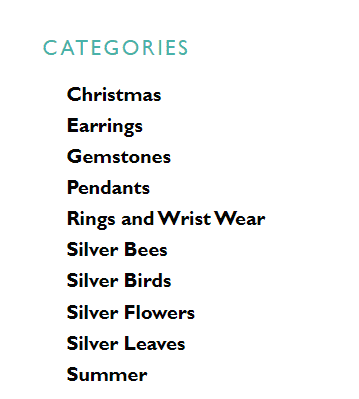
Have you set up categories to make shopping easier for your customer?
If not then go ahead and add sections! The instructions are here
If you do have sections do you need to update? Take out Christmas and add Valentine’s and Mother’s Day perhaps!
Do you have your shop profile up to date? Or does it say you are closed for Christmas.
Did you add a Vacation banner and forget to take it off?
Have you written a blog? A blog is a great way to connect with your customers and supercharges SEO for your shop (we will look at SEO another day!) A good starting point in a Meet the Maker so that potential customers can see who you are! You can add a link to the blog in your profile too so that customers are drawn there! Like this
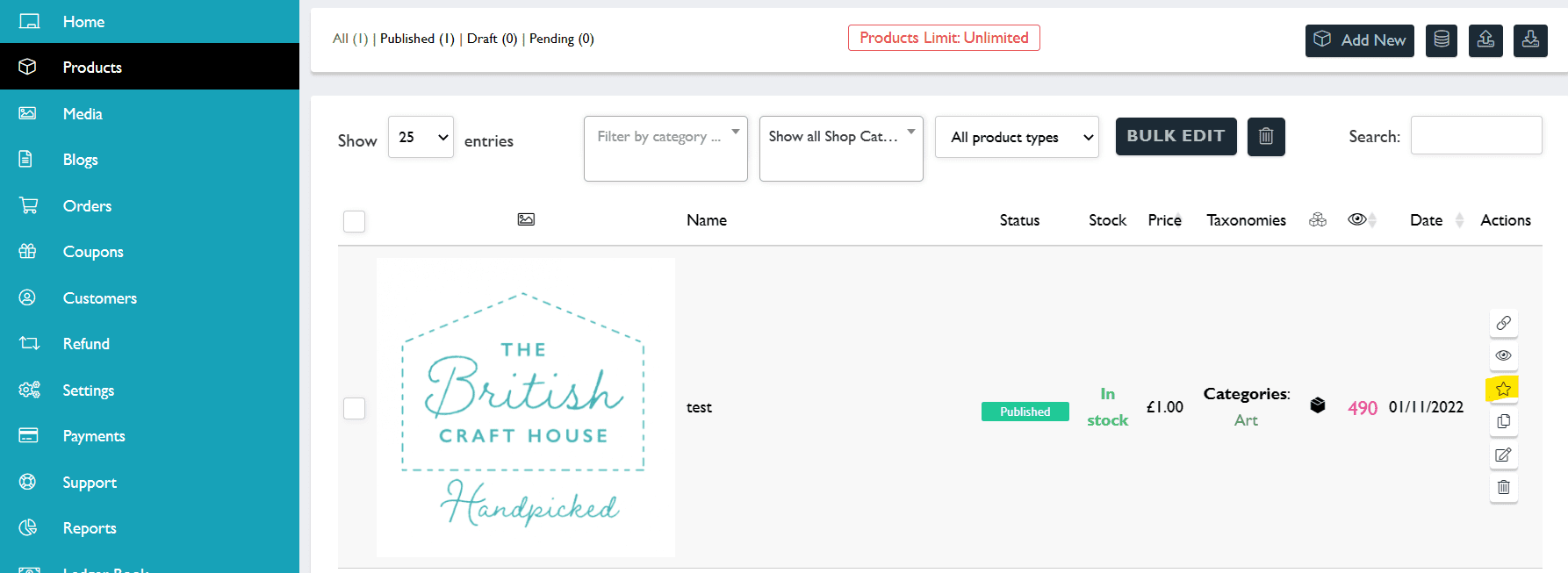
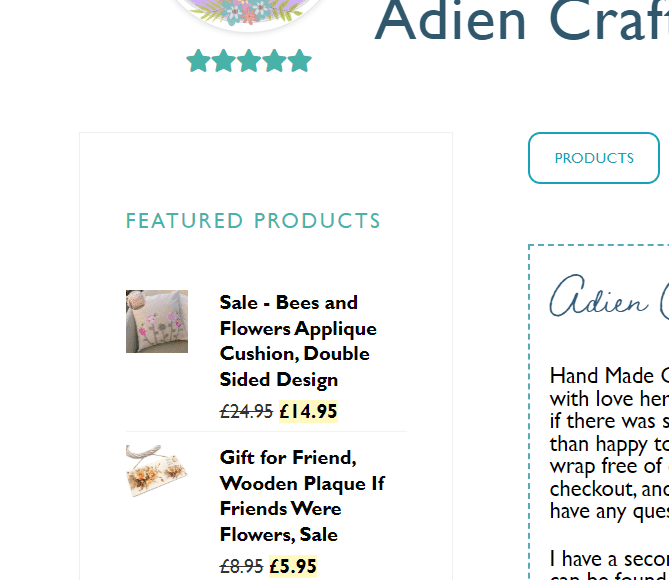
Have you set up some Featured products? You do this by clicking in the star in your product list (the snowflake deselects it)
This is a great way to draw attention to items that are new, on sale or to show your range of products.
We will look at more detail the magic that you can add to your listings in a different Bootcamp Day but this should keep you busy for a while!
Hopefully you enjoyed looking at your branding yesterday! I have changed the plan topic for today to switch it to Instagram! Primarily because we are running a great Instagram Challenge with month and so if you get the hang of it then you can hop onboard and join in!
The amazing Kelly at Willow & Twigg put together this guide for you! It really is rather brilliant so get stuck in! Even seasoned Instagrammers might learn something!
Branding is important because not only is it what makes a memorable impression on consumers but it allows your customers and clients to know what to expect from your company. It is a way of distinguishing yourself from the competitors and clarifying what it is you offer that makes you the better choice.
It is made up of 4 key areas.
Your Why
Your Niche
Your Values
Your USP
What is your Why?
What is the point of your business – why did you start.
If your immediate answer to “Why does your business exist?” is “To make money,” then this a good time to dig a little deeper. There are countless ways to make money, so why did you choose the business you are currently in?
More likely than not, you felt there was an opportunity to create value in market that wants what you are selling. Profit is a side effect of capturing that value. So, what exactly is the value you’re creating?
Your WHY is what sets you apart from everyone else. It’s your purpose. It’s what inspires you to take action. Your WHY is also what inspires others to take action, spread your ideas, or buy your products
Can you sum up the brand purpose of your own business in a sentence? It’s a crucial step; this will influence how you business is represented on all of your brand touchpoints. It’ll also affect how your business lands in the mind of a potential customer.
Your customers care about what your brand values are. What do you care about. How can you weave this into your brand.
Brand values are simply a set of guiding principles that are true to you and your business. They affect how you behave and what actions and choices you take. To avoid clichés, try and think beyond generic values that you may have seen before: trustworthy, reliable, friendly. Is there a more specific way to describe exactly what you stand for?
Thoughtfulness is an unusual value for a plumber, for example, but it could be a brilliant differentiator. Discovery by comparison is useful here. Look at your competitors and see where your values might differ or be similar.
USP
What makes you unique – make a list of why people should buy from you and not from a competitor.
A brand positioning is the special place a business occupies someone’s mind. Imagine an astronaut planting a flag with your logo on it onto your customer’s brain. You have managed to cut through the clutter and get a tiny piece of real estate in the thoughts and opinions of someone.
It’s not easy to establish a clear brand positioning, but if you can define your core brand elements, you’ll have a strong foundation in place for your business.
Also worth considering
Create a Brand Guide
Includes your Logo
Colours for your branding – brand recognition etc.